
What Really Happens When You Type a Query and Hit Enter in ChatGPT
A plain-English tour of prompt assembly, tokenization, prefill, decoding, sampling, and streaming.

Imagine dropping a letter into a post office box.
You do not see the sorting desk, the address check, the delivery route, or the worker handling each step.
ChatGPT feels like one box too. But the answer comes from a chain of small steps, not from a single magic reply button.
A chat box makes an AI system look simple.
You type a question. Words come back. It feels like a person read your message, thought for a moment, and wrote a reply.
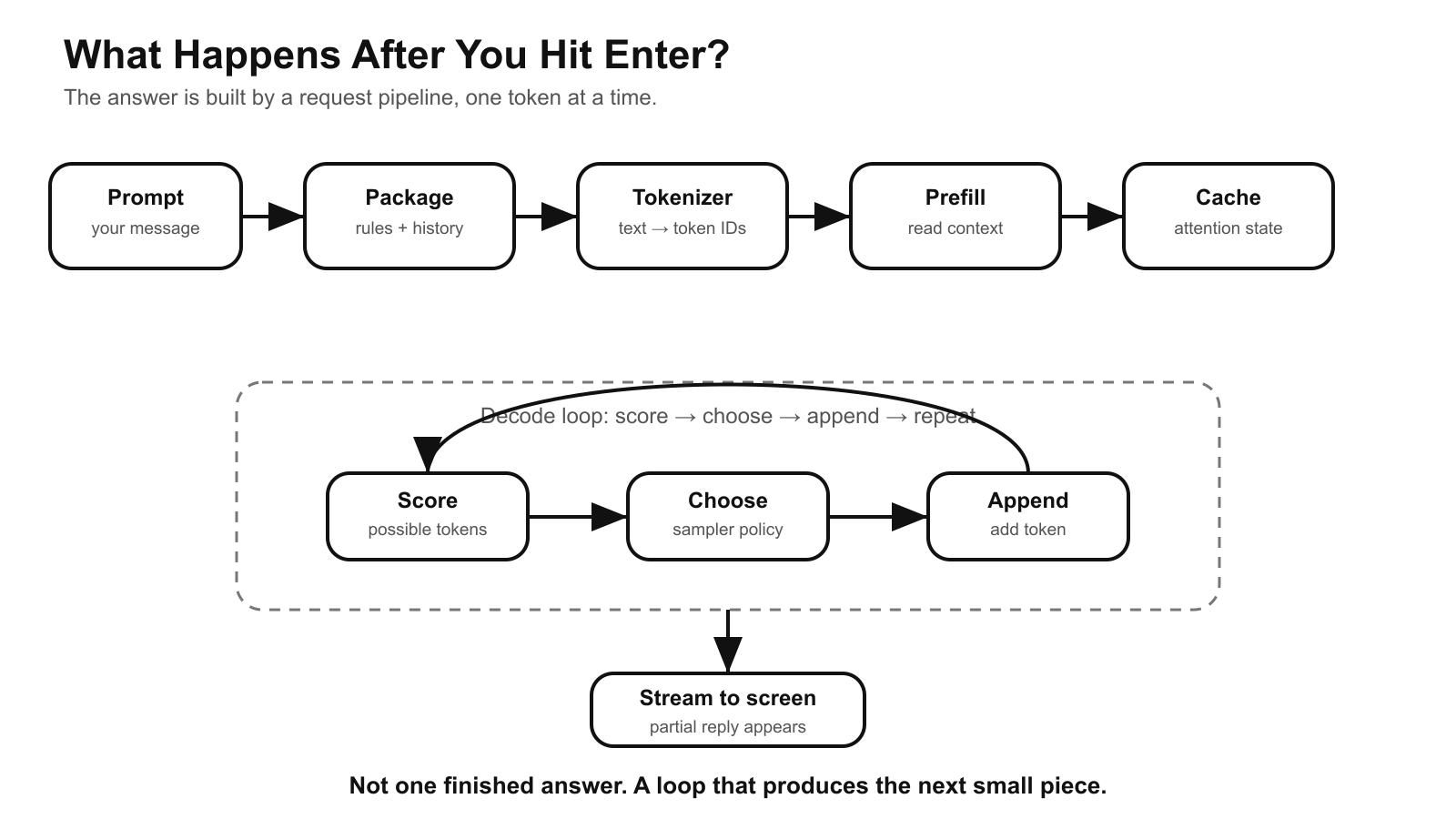
That picture is useful, but it hides the real system. Behind the box is a request pipeline with rules, text splitting, model work, memory-like cache, one-token-at-a-time generation, and streaming.
The simplest mental model is this:
Your prompt is a letter. The AI service is the post office. The answer is delivered piece by piece.
That does not mean an LLM works like a human clerk. It does not. The analogy only helps us see the flow.
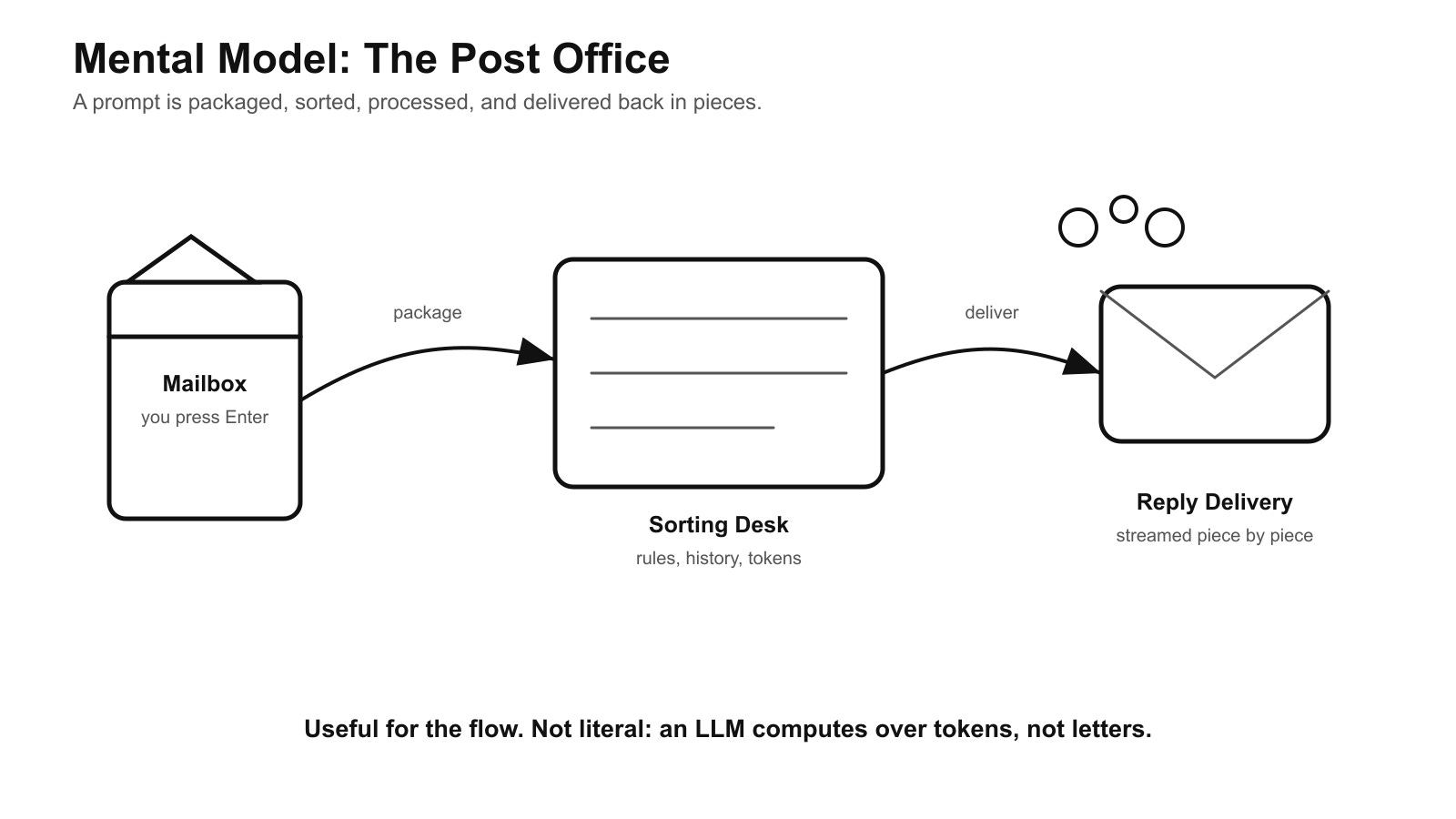
Think of the chat app like a post office.
Everyday pictureAI systemYou drop a letter in the boxYou press Enter with a promptThe post office prepares and sorts itThe app assembles context and tokenizes textA reply is handled through many small stepsThe model generates one token at a time
Where the analogy stops:
A post office moves physical letters. An LLM does math over token IDs. It does not understand, remember, or verify information the way a person does.
The analogy is only for the flow: package, sort, process, deliver.
When you press Enter, several things happen before the first word appears on screen:
the app prepares the request,
safety and product rules may be attached,
your text is split into small units,
the model processes the full context,
the model starts choosing the next unit of output,
the app streams the reply as units arrive.
The important shift is this: an LLM chat response is not a finished document fetched from a shelf. It is generated step by step.
Step 1 — The app prepares the package
The model usually does not receive only the sentence you typed.
A chat product can add hidden instructions, conversation history, tool descriptions, retrieved notes, file excerpts, safety metadata, and your latest message. The exact package depends on the product.
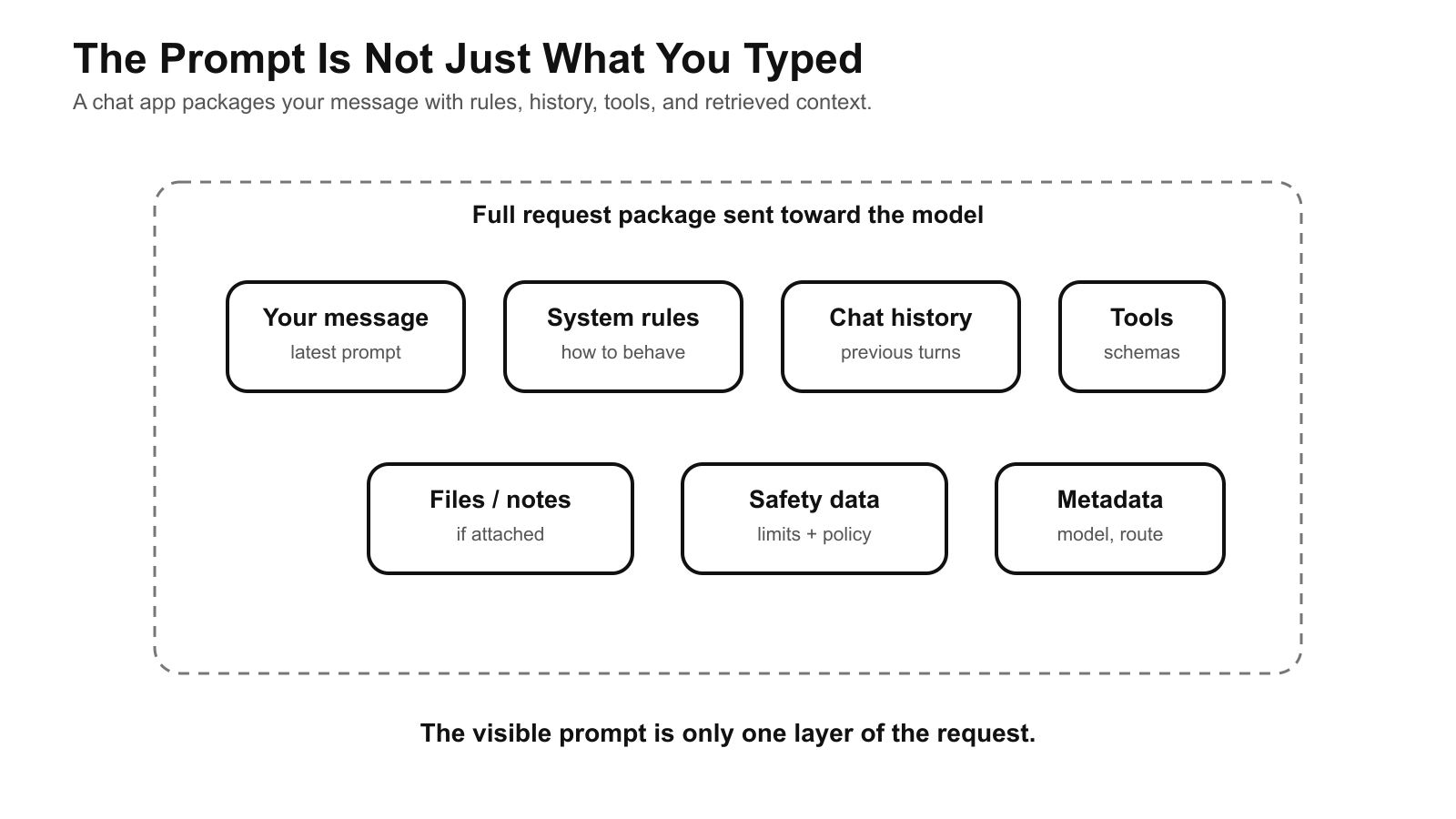
Plain-English version: before the letter goes to the worker, the service attaches the envelope, address label, rules, and previous conversation.
Technical name: this is request assembly or prompt assembly.
Step 2 — The text is split into tokens
The model does not read text exactly like people do.
It reads and writes tokens. A token is a small piece of text. It might be a whole word, part of a word, a space, punctuation, or a common text pattern.
So the model does not see one smooth sentence. It sees a list of token IDs, which are numbers that represent those small text pieces.
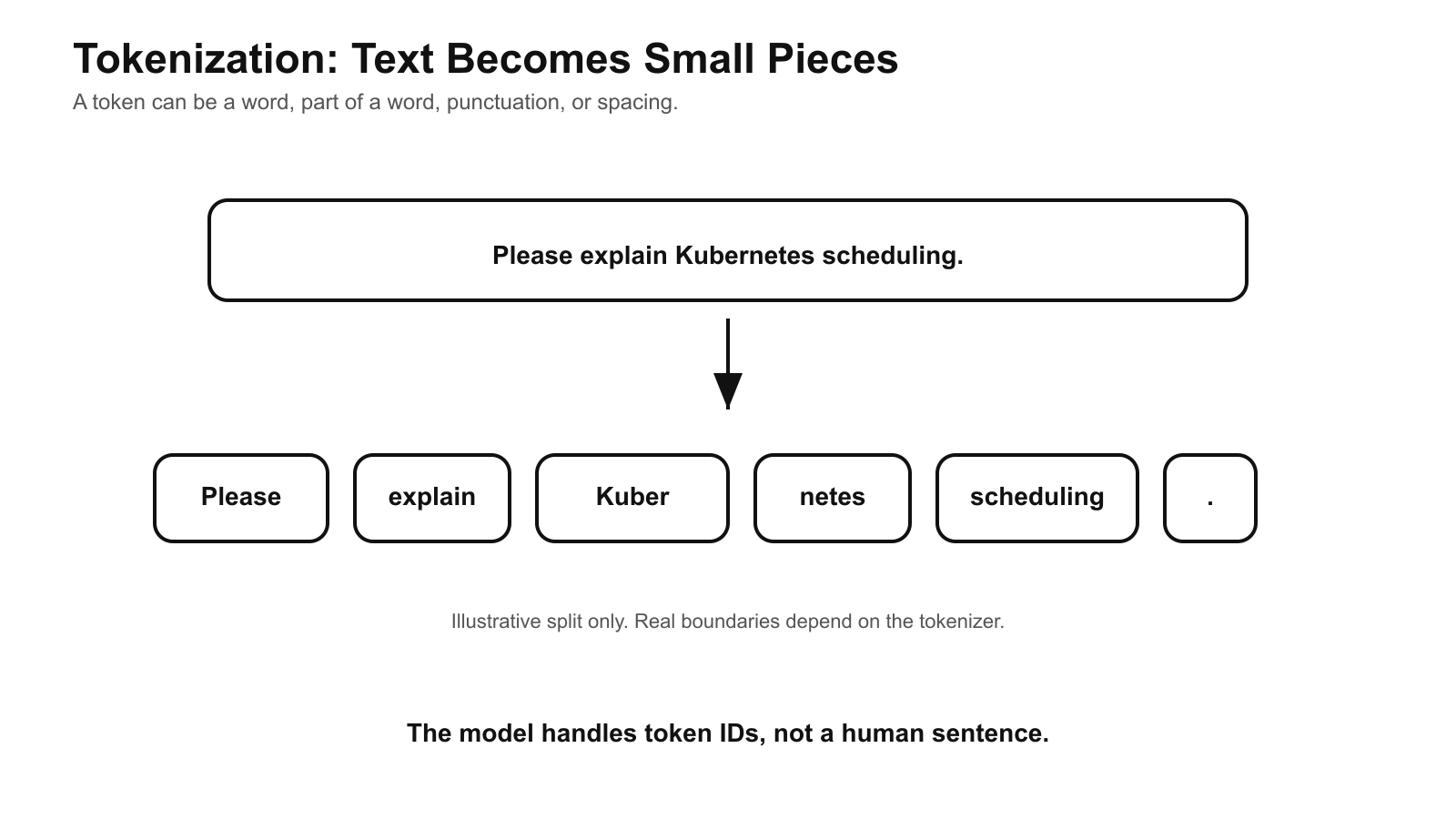
Plain-English version: the post office sorts a letter into small handling units. The model sorts text into small reading units.
Where the analogy stops: postal workers still understand addresses and letters as people. A model computes over numbers that stand for text pieces.
Step 3 — The model reads the context first
Before the answer begins, the model processes the tokens it has been given.
This first pass is often called prefill. It is the setup work before output starts.
During this step, the system also builds internal state used for attention. In many serving systems, that state is stored in a KV cache. You can think of it as a scratchpad the system uses so it does not have to redo all the same work for previous tokens at every step.
This helps explain why a long prompt can feel slow before the answer starts. The system has more material to read first.
Step 4 — The model chooses one token
After the setup, the model begins the part we experience as “typing.”
It scores many possible next tokens. Then the runtime chooses one of them. That chosen token is added to the growing answer.
Then the process repeats.
The loop is:
read current context → score next tokens → choose one token → append it → repeatThis is why the answer can change direction. Each token becomes part of the context for the next choice.
Step 5 — The sampler controls how strict the choice is
At each step, the model produces scores for candidate tokens. These raw scores are often called logits.
The runtime then applies a selection rule. Settings such as temperature and top-p change how strictly the system follows the highest-scoring options.
Plain-English version: if several next words are possible, the system can always pick the strongest guess, or it can allow some other reasonable guesses into the draw.
This does not make the model more truthful. It only changes how output is selected.
Step 6 — The answer streams back before it is finished
The app does not need to wait for the whole answer.
As tokens are created, they can be sent back to the browser or app. That is why you see the response appear gradually.
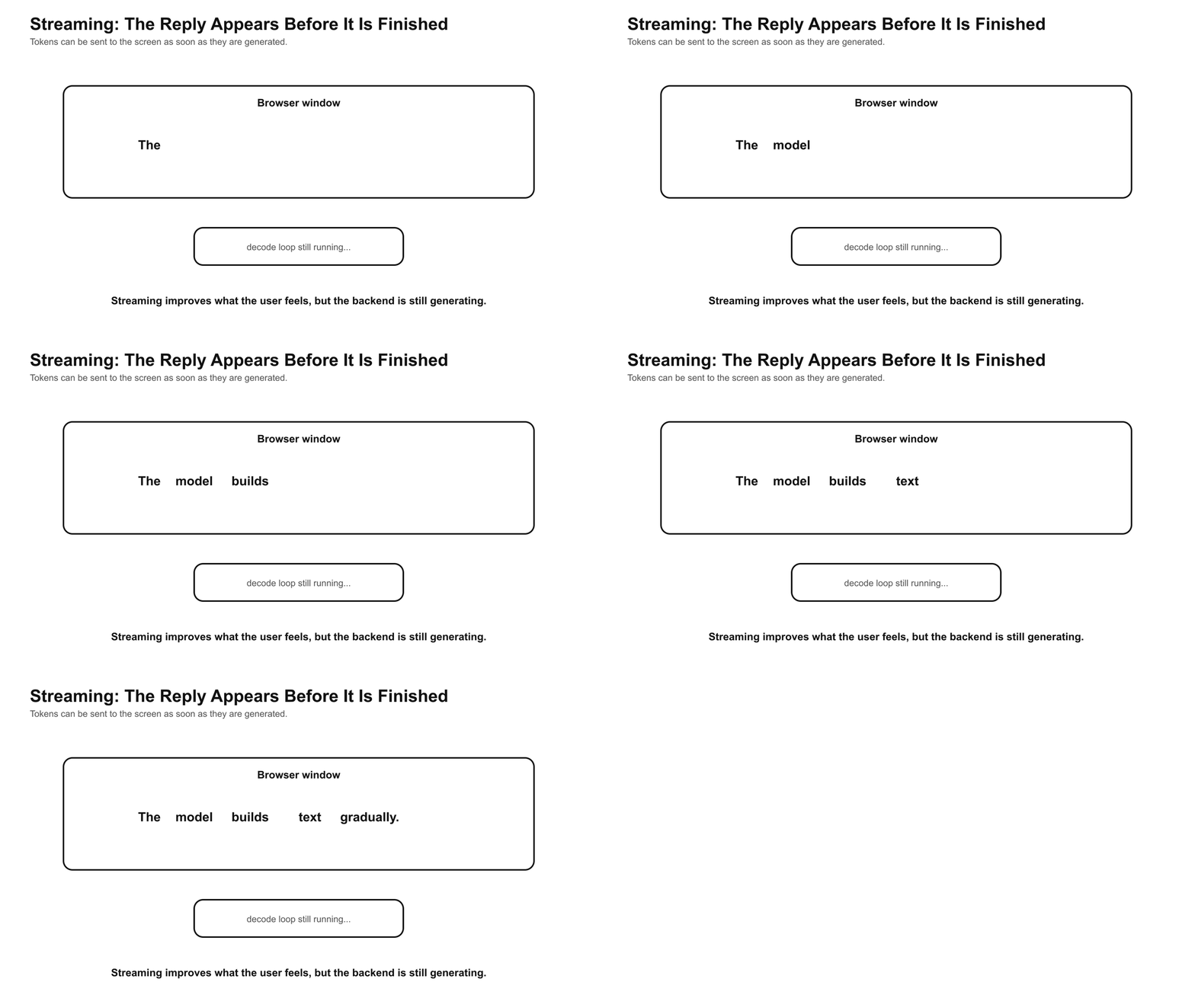
Plain-English version: the delivery person does not wait for the whole stack of mail to finish before showing movement. You see the route in progress.
Technical name: this is streaming.
Operational trade-offs and failure modes
Long input changes the first wait
There are two waits in an LLM response.
The first is the wait before output begins. This is often called time to first token.
The second is how fast the remaining output arrives. This is often measured as tokens per second.
A long prompt or long conversation can increase the first wait because the system must process more context before it starts generating.
Context is helpful, but it costs capacity
More context can help the model answer with more information.
But context is not free. More tokens require more compute and memory. More irrelevant context can also confuse the answer.
A good prompt is not always the longest prompt. It is the right information in the right order.
A fluent answer is not always a checked answer
The model is built to continue text.
That does not mean it checked a database, inspected your production logs, or verified a command. Unless the app connects the model to tools or trusted sources, the answer is generated from the provided context and learned patterns.
This is why a model can sound confident and still be wrong.
Safety and permissions are part of the product
A production AI chat system is more than the model.
There may be input filters, output checks, policy prompts, classifiers, rate limits, logging, tool permissions, and human approval steps.
If an assistant refuses, answers strangely, or cannot access something, the cause might be the model. It might also be the application around the model.
Cost follows tokens
Many hosted LLM systems charge for input and output tokens.
Long prompts, long histories, and long answers all matter. Token count is both a pricing concern and a capacity concern.
For teams building AI features, token usage is not trivia. It affects latency, memory, throughput, and cost.
Practitioner takeaway
For DevOps, platform, SRE, and AI engineering readers, the useful translation is:
Prompt length affects prefill. Longer context can increase time to first token.
Output length affects decode. More generated tokens means more loop iterations.
Streaming hides some latency, but not compute. The user sees progress while the backend still works.
Token accounting is capacity planning. Tokens drive cost, memory pressure, queueing, and throughput.
Policy sits around the model. Refusals, tool limits, and access failures may come from the harness, not only from the model weights.
Key takeaways
ChatGPT is a request pipeline. The text box hides assembly, tokenization, inference, selection, and streaming.
Tokens are the working unit. The model reads and writes small text pieces, not whole thoughts.
The answer is built in a loop. One token is chosen, appended, and used to choose the next.
Streaming is partial delivery. The answer can appear before generation is complete.
Fluency is not verification. A generated answer still needs source-of-truth checks for real operational work.
Sources
Vaswani et al., “Attention Is All You Need”: https://arxiv.org/abs/1706.03762
Hugging Face Transformers documentation, generation strategies: https://huggingface.co/docs/transformers/en/generation_strategies
Hugging Face Tokenizers documentation: https://huggingface.co/docs/tokenizers/main/en/index
OpenAI API documentation, text generation: https://platform.openai.com/docs/guides/text-generation
OpenAI API documentation, streaming responses: https://platform.openai.com/docs/guides/streaming-responses
OpenAI
tiktokentokenizer repository: https://github.com/openai/tiktoken